Home
SoloChair.com Registration and Directions

REGISTRATION BEGINS SEPTEMBER 1 5:00 AM Pacific

Part A — Create an Account

(If you have already created an account go to Part B)

  1. Go to SoloChair.com Click the "Go" button in the burgundy box labeled "Create an Account" in the left column.
  2. Validate your email address. Enter your email address in the text box and click submit. (If the system finds a possible error with your address, you will be asked to check it and try again.) Once your address is confirmed, Enter the State in which you teach/taught, then click the "Continue" Button.
  3. On the 'Region' page, select the appropriate information for the drop down menu. If it is not listed in the drop-down menu then enter it in the text box. • Step 1 - enter Zone • Step 2- enter County • Step 3- enter District- Important - Check the drop down menu
    carefully.
  4. Complete the form on the 'Create an Account' page. Fields marked with a red asterisk (*) are required. You will receive an error message if you do not complete these fields, and your account will not be created. Click the "Submit" button. (click only once)
  5. You should receive an email shortly that includes a randomly created password. You may then log on with your email address and password in the burgundy box in the left column of the "My Account" page. If you do not receive an email, please contact the webmaster at This e-mail address is being protected from spam bots, you need JavaScript enabled to view it
  6. After logging on, change your password to something more personal using the "Change Password" tool in the blue box.

Part B. — Register Groups or Students for a Festival

For Solo and Ensemble Festivals:

  1. Scroll down the page until you see the “Festivals” table. — Click the “Register” button next to the appropriate festival.
  2. Check the scrolling list of Accompanist to the left. If your Accompanists are not listed, enter their names in the yellow section.
  3. In the Blue Section, enter the number of Soloists in the first field and Ensembles in the next. Click “Continue.”
  4. If you teach in more than one school, and you are registering students for a school other than the one listed in your account: Change the school information in the light blue box (on the right side).
  5. Complete student information for soloist in the light blue box, and ensembles in the purple box.
  6. Select your payment method in the yellow box. Click the “Continue” Button.
  7. You will see an unofficial copy of what you typed. If it is correct, click the “Finalize” Button. If not, click “Make Corrections.” — Your students are not entered until you finalize the entries!
  8. Click the link to the “Invoice” page
  9. Print three copies of your invoice, and send two copies to the Treasurer for CMEA Bay Section with your payment.

For Large Group Festivals:

  1. Scroll down the page until you see the “Festivals” table. — Click the “Register” button next to the appropriate festival.
  2. Select the date and preferred time range for that festival.
  3. Enter in the information about the group, placement in school program, and grade levels.
  4. Complete school information.
  5. Select your payment method in the yellow box. Click the “Continue” Button.
  6. You will see an unofficial copy of what you typed. If it is correct, click the “Finalize” Button. If not, click “Make Corrections.” — Your groups are not entered until you finalize the entries!
  7. If the festival is filled or not available at that time, you will know immediately, and be asked to make another selection
  8. To finish registration, click the link to the “Invoice” page
  9. Print three copies of your invoice, and send two copies to the Treasurer for CMEA Bay Section with your payment.

Important Notes for Large Group Festival Registration:

  1. Starting with the 2007 festival season, Online registration ONLY – No Postal Mail registration will be accepted. Solochair.com will be used for all CMEA Festival Registrations. Now you will know when you sign up exactly what festival site is yours!
  2. Online registration begins September 1 each season.
  3. There will be a period of fifteen days at the beginning of online registration where people will have preference for registration in their area. After this period, all areas will open up for teachers to register in any area. This date for opening up to registration in all areas is September 15.
  4. As soon as possible, register for a solochair.com account BEFORE September. It may take 2-3 hours to process your account information prior to your account becoming active.
  5. If you already have a solochair.com account then you are ready to sign up for all festivals on September 1.
  6. If you experience difficulties or cannot sign up online – please contact one of the CMEA Festival Coordinators
 
NEW!-Summer 2008 Tempo Magazine
2008-06-tempo_page_01.jpg
Dear CMEA Members,

I hope you have enjoyed the new format of the Tempo this year. It's been a pleasure updating our publication and giving it a long overdue facelift.

For this year's summer issue, we're going to try a "digital only" version that will be available for download exclusively from our website (www.cmeabaysection.org) and not printed and mailed as usual.

This is not a permanent change, simply an experiment. Please let me know what you think of not having the hard copy. There is a great amount of money and paper to be saved by going e-Tempo, but I know many (myself included at times) will miss holding the issue in their hands and the instant availability of looking up up-to-date information without the aid of a computer.

Send you thoughts to  This e-mail address is being protected from spam bots, you need JavaScript enabled to view it  and look for information about the Tempo's future in Issue No. 1 of our 41st edition of the Tempo, coming this fall.

Have a great summer!

Dave Lewis
Tempo Editor


Board of Director Changes 2008-09

mikegalisatus1.jpg


Congratulations to the newly elected and appointed Bay Section Board Members for the upcoming two years.  The following individuals have graciously accepted their positions and will begin serving the members of Bay Section on July 1. 


Steve Hendee-President Elect

Jon Grantham- Recording Secretary

Kate Meyer-Orchestra Representative

Stephen Moore-Assistant Orchestra Representative

Kara Ireland D’Ambrosio-Classroom/General Music Representative

Laurel Verissimo - Medals Representative

Rita Zigas-Brown- Festival Coordinator for Large Groups 

Vivian McNulty-Festival Coordinator for Solo and Ensemble

Christine Barnes-Area II Representative

Kellie Bowman and Gary Coartney-Assistant Area II Representatives

Ulices Chavez – Area IV Representative

Ben Bricker – Area IV Assistant Area IV Representative

Troy Davis – Area VI Representative

Kevin Gallagher – Area VI Assistant Representative

Julie Bounds – Area VIII Representative


In addition, I would like to welcome Dr Rafael Hernandez from California State University East Bay as our new Technology Representative.  A special congratulations goes out to Tim Harris, who has been appointed Band Representative for the CMEA State Board.  That makes yet another Bay Section member on our state board of directors!  Taking Tim’s spot as Band Representative will be Ted Ferucci, who will be assisted by Larry Colon.  John Felder will assume the role of Area V Representative with Danna Mitchell as his assistant for the remainder of the current term.  We have a wonderful, hard-working board of directors who are proud to serve you.


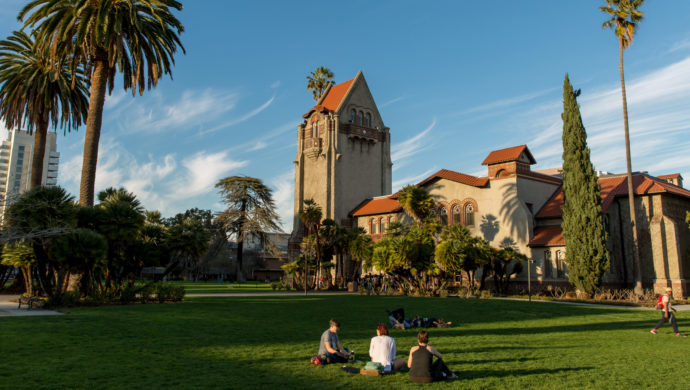
Save the dates of January 16 and 17, 2009 for our annual Bay Section Winter Conference at San Jose State University.  We have some exciting, new ideas for this year’s sessions, so stay tuned!


I hope everyone has a restful summer and spends the next few months getting recharged for yet another terrific school year.


Mike Galisatus

President-Elect

 
<< Start < Prev 1 2 Next > End >>

Results 1 - 7 of 9

Bay Section News